
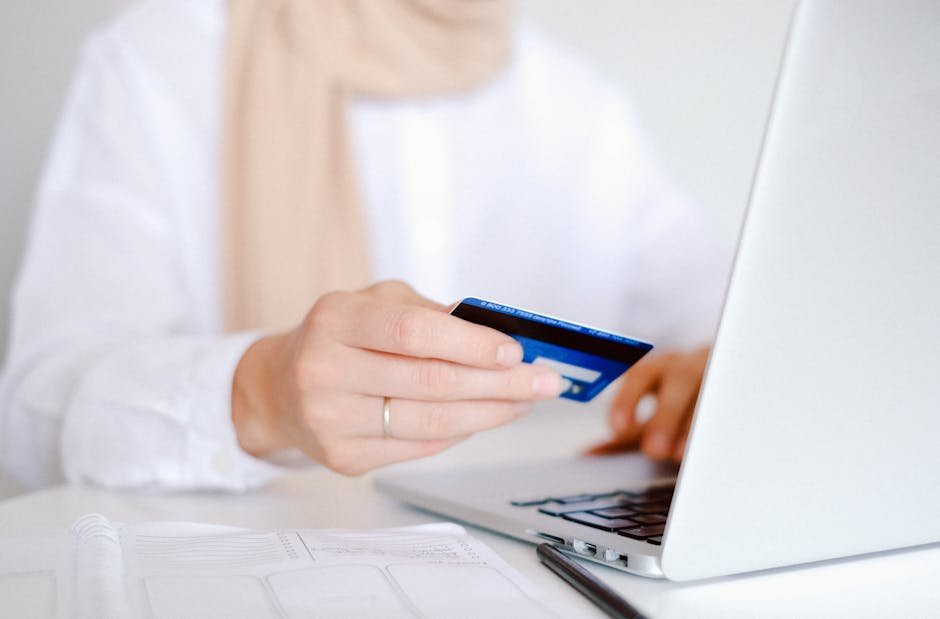
If you are looking for the best antivirus for online banking on Windows, the smart choice is not just the product with the biggest name or the longest feature list. What matters is how well it reduces the risks that lead to stolen logins, fake banking pages, intercepted transfers, and account takeovers.
Online banking on Windows is not inherently unsafe, but it is a common target. Phishing sites, banking trojans, keyloggers, clipboard hijackers, and fake login prompts are built to steal money or account access directly. The goal of this guide is simple: show which protections actually help, when free tools are enough, and which antivirus options fit different banking habits.
Key Takeaways
- For banking, strong anti-phishing protection matters as much as malware detection.
- A secure browser or protected banking session is most useful for people who log into financial accounts often.
- Windows Security is a reasonable baseline for low-risk users, but it lacks the clearer banking-focused tools found in some paid suites.
- Paid antivirus is easier to justify when you manage investments, make frequent transfers, or bank on a laptop that moves between networks.
- Antivirus is only one layer; unique passwords, two-factor authentication, updates, and account alerts still do critical work.
What matters most for safer online banking on Windows
Banking activity needs a different standard than ordinary browsing. A missed warning on a shopping site might be annoying; a missed warning on a bank login page can turn into a stolen account or an unauthorized transfer.
The most useful protections are the ones that reduce risk before and during a banking session. For most Windows users, that means:
- Anti-phishing and fraudulent site blocking to stop fake bank pages and scam redirects.
- Real-time protection that catches suspicious files, scripts, and behavior before they interfere with a session.
- Secure banking browsers or protected sessions for people who want extra isolation when logging into financial sites.
- Anti-keylogging and ransomware defenses for users who type passwords, one-time codes, or store financial records on the same PC.
- Firewall and network tools if you bank on shared Wi-Fi, travel frequently, or use a laptop outside the home.
Windows remains a major target simply because it is widely used. Browser-based attacks, malicious downloads, abused remote access tools, and unpatched software are more relevant to banking risk than a generic manual scan that runs after the fact.
What antivirus can and cannot do during a banking session
A good antivirus can block dangerous websites, flag suspicious downloads, detect malicious processes, and reduce the odds that a normal login turns into credential theft. It also adds a second layer for moments when you click too fast, follow the wrong link, or miss a visual clue on a fake page.
It cannot fix everything. Antivirus will not protect you if your email account is already compromised, your passwords are reused across services, or you approve a fraudulent sign-in request yourself. It also cannot make an outdated Windows installation safe on its own.
That is why the strongest setup combines antivirus with a few habits that close the obvious gaps:
- Use unique passwords for every financial account.
- Turn on two-factor authentication where available.
- Enable transaction and login alerts.
- Keep Windows, your browser, and extensions updated.
- Avoid public Wi-Fi for banking, or use a trusted VPN if you must connect remotely.
The best antivirus for online banking on Windows: top options
Best overall for most people: Bitdefender Antivirus Plus
Bitdefender Antivirus Plus is the strongest all-round choice for most Windows users who bank online regularly. Its appeal is straightforward: it combines web protection and anti-phishing with a secure banking browser approach, which is more relevant to financial activity than relying on standard malware scanning alone.
It fits people who want a clear, banking-focused workflow on a personal PC. It is a weaker match if your main priority is an unlimited bundled VPN or a completely free setup. The included VPN allowance is limited to 200 MB per day, so it helps for short sessions but not as a full replacement for a standalone VPN.
See the details on the Bitdefender Antivirus Plus product page.
Best for deeper threat protection: G Data
G Data makes the most sense for users who are less concerned with convenience and more focused on higher-risk financial activity. In the source material, it stands out for handling exploits, ransomware, keyloggers, and attacks on financial transactions.
This is a better fit for traders, home office users, or anyone making frequent transfers from a primary Windows machine. If you only check balances and pay a few bills each month, its depth may be more than you need, which makes it harder to justify on simplicity alone.
For context, review PCMag’s roundup of the best antivirus software it has tested.
Best value for families: Trend Micro
Trend Micro is worth considering when several people in a household use the same subscription for shopping, payments, and banking. Its PayGuard secure banking tool gives it a clearer financial-security angle than a generic multi-device suite.
It is a practical option for households where at least one person banks frequently and will actually use the protected workflow. If nobody uses the banking feature, the extra spend is less compelling, and a cheaper multi-device plan may be enough.
You can compare it in TechRadar’s guide to the best antivirus software for PC.
Best built-in option for basic protection: Windows Security
Windows Security is the sensible starting point if your budget is tight, your PC is older, or you prefer to avoid adding another full suite unless you clearly need one. It covers the basics and can be enough for occasional banking on a well-maintained Windows laptop.
Its limitation is not poor baseline protection; it is the lack of a clearly defined banking mode in the provided sources. If you want a secure browser or a more explicit banking-specific layer, a paid option is easier to justify.
Best no-cost third-party option: Comodo Free Antivirus
Comodo Free Antivirus only makes sense when the priority is spending little or nothing and you are comfortable with the trade-off. In the source material, the main appeal is simply that it is a free antivirus option, not that it offers standout banking tools.
It is a reasonable choice for light use on a lower-risk PC, but it is not the right pick if you specifically want a secure banking browser, transaction protection, or a clearly banking-focused feature set.
Quick comparison for banking protection
| Option | Best for | Main strength | Main limitation |
|---|---|---|---|
| Bitdefender Antivirus Plus | Most Windows users who bank regularly | Secure banking browser approach plus strong web and phishing protection | Included VPN traffic is limited |
| G Data | Higher-risk financial activity | Focus on exploits, ransomware, keyloggers, and transaction-related threats | More depth than casual users may need |
| Trend Micro | Families and multi-device households | PayGuard secure banking tool | Best value depends on using the banking feature |
| Windows Security | Occasional bankers with good habits | Built into Windows and easy to maintain | No dedicated banking mode highlighted |
| Comodo Free Antivirus | Budget-focused users who want third-party protection | Free entry point | No clear banking-specific feature highlighted |
How to choose based on your banking habits
Choose Windows Security if you bank occasionally from one updated home PC, use strong passwords, and already rely on two-factor authentication.
Choose Bitdefender if you want the most balanced upgrade for regular banking, with stronger phishing protection and a more defined protected session.
Choose G Data if you manage investments, business payments, or frequent transfers and care more about deeper threat coverage than about keeping things simple.
Choose Trend Micro if multiple people need coverage and at least one user will actually use the secure banking workflow.
Choose Comodo Free Antivirus only if your budget leaves little room for anything else and your risk level is relatively low.
Before you buy, check three things carefully: device limits, renewal pricing after the first term, and whether the specific plan includes the features you care about. Do not assume every paid tier includes secure banking tools or the same level of web protection.
Setup tips that make banking safer
Even a good product is easy to weaken with poor setup. After installation, verify that real-time protection, anti-phishing tools, and any ransomware defenses are turned on. If your antivirus uses a browser extension for web protection, make sure it is active in the browser you actually use for banking.
If your suite includes a secure browser or banking mode, use it deliberately rather than leaving it as an unused extra. Also keep automatic updates enabled, avoid disabling the firewall for convenience, and treat scheduled scans as maintenance rather than your main line of defense.
Common mistakes to avoid
- Buying on discount alone: a cheap first-year price does not help if the plan lacks phishing protection or banking-session tools.
- Assuming every paid suite is banking-focused: some are broad security bundles with little that directly helps during financial logins.
- Ignoring feature caps: limited VPN data, low device counts, and higher renewal prices can change the value fast.
- Relying on antivirus by itself: outdated Windows builds, unsafe browser habits, and weak account security can still undo the benefit.
Bottom line
For most people, the safest choice is the antivirus that combines strong anti-phishing protection with a protected banking session you will actually use. Bitdefender is the most balanced option for regular online banking on Windows, G Data is better suited to heavier financial activity, Trend Micro is attractive for multi-device households, and Windows Security remains a reasonable baseline for lower-risk users. Free third-party options can work, but they make the most sense when your banking habits are light and your expectations are modest.