
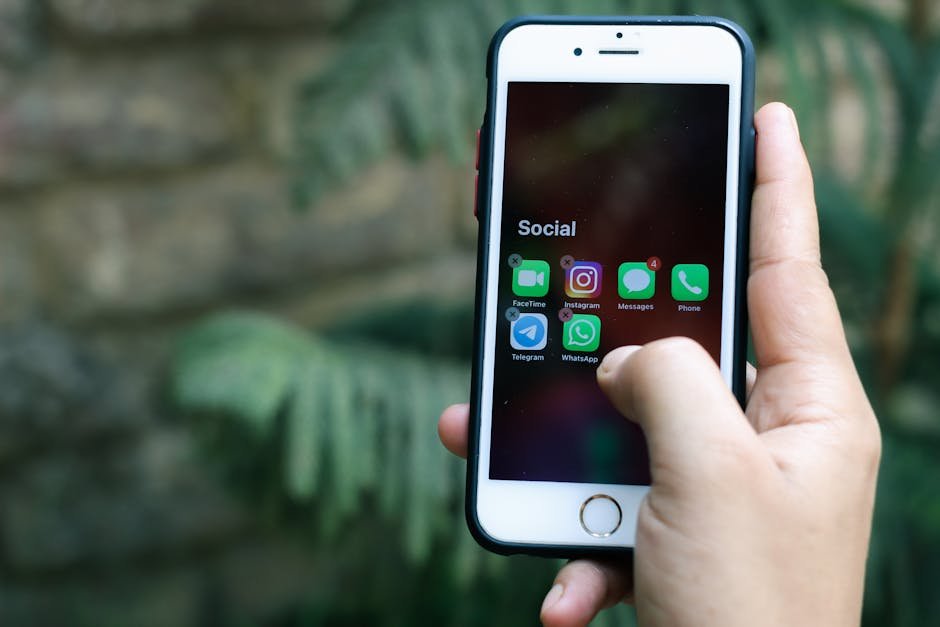
Families looking for the best antivirus for iPhone are usually picturing PC-style protection. That is not how iPhone and iPad security works. On iOS and iPadOS, a security app cannot inspect the whole system, open other apps, and clean infections the way desktop antivirus can.
For most Apple households, the better question is more practical: do you need help blocking phishing links, fixing weak passwords, protecting logins on public Wi-Fi, or setting safer rules for kids? This guide explains what security apps can actually do, where Apple’s built-in protections already carry most of the load, and when paying for extra tools is worth it.
Key Takeaways
- Most iPhone and iPad users do not need antivirus in the desktop sense because iOS is tightly locked down.
- The most useful iPhone security features are scam filtering, password tools, VPN access, breach alerts, and parental controls.
- No iPhone antivirus app can scan the entire device or inspect other apps the way Windows antivirus can.
- For many families, Apple’s own protections plus strong passwords and two-factor authentication are enough.
- The right paid app depends on the problem you need to solve, not the antivirus label on the subscription page.
The best antivirus for iPhone starts with understanding iOS
Apple’s mobile operating systems are designed to keep apps boxed into their own space. That sandboxing limits what harmful software can do, but it also limits what a security app can see. A traditional antivirus product depends on broad system access, and iPhone apps simply do not get that access.
Apple also includes a strong baseline for families before you install anything extra:
- App review and code signing for software distributed through Apple’s ecosystem
- Permission controls for location, photos, contacts, camera, microphone, and tracking
- Face ID or Touch ID, plus Apple ID two-factor authentication
- Safari protections against fraudulent sites and cross-site tracking
- Find My, Screen Time, and Family Sharing for lost devices and child management
Because of those limits, many apps sold as antivirus on iPhone are really privacy and account-protection tools. As Forbes explains in its overview of iPhone antivirus options, they do not have the same system access they get on desktop platforms. The label is familiar, but it can point buyers toward the wrong expectations.
What iPhone security apps can and can’t do
What they do well
- Warn about phishing pages, fake stores, suspicious links, and scam sites before someone enters a password or card number
- Offer password management, breach alerts, or identity monitoring for reused logins and exposed accounts
- Add VPN access and Wi-Fi safety features for travel, hotels, airports, and other untrusted networks
- Support parents with safer browsing, content restrictions, and family controls
Those jobs match how iPhone users are usually targeted: not by a classic self-spreading virus, but by fake login pages, scam texts, and stolen credentials.
What they cannot do
- Run a full-device malware sweep across the entire phone or tablet
- Open other apps and inspect their private files
- Offer a traditional quarantine-and-cleanup workflow for the whole device
- Monitor files and processes in the same way antivirus does on a PC
That is why a useful iPhone security app may still feel nothing like desktop antivirus. Its value is usually prevention, not deep system cleanup.
When a paid app is worth it
For kids, teens, and older relatives who tap first and think later: Scam filtering and safer browsing can prevent the most common mistakes. If you are buying a subscription for virus removal, though, you are paying for the wrong benefit.
For families with messy password habits: If one password is reused across email, shopping, school, and banking, the larger risk is account takeover. In that situation, a password manager or breach-monitoring bundle is often more valuable than a generic security suite.
For frequent travelers and remote workers: VPN access and Wi-Fi protection can help on public networks. There is still a trade-off: always-on VPNs can add friction, slow some connections, or complicate access to a few services.
For mixed-device homes: A broader family plan can be easier to manage when the house also includes Windows PCs or Android phones. In an Apple-only home, that same bundle can feel expensive and padded with extras you will never use.
Best iPhone security apps by use case
There is no single winner for every household. The better approach is to match the app to the risk you actually need to reduce.
| Option | Best for | Why it fits | Main limitation |
|---|---|---|---|
| Guardio | Phishing and safer browsing | Built around scam links, fake sites, and risky web traffic | Strong on web protection, but not a family-control or system-scan tool |
| Apple Passwords | Password hygiene in Apple-first homes | Simple built-in way to create and autofill stronger, unique logins | More basic than dedicated password managers, especially for complex cross-platform needs |
| Bitdefender | VPN and public Wi-Fi protection | Useful when travel, privacy, and leak monitoring matter more than the antivirus label | The most useful version may require a paid tier, and it still is not full-device antivirus |
| Apple Screen Time + Family Sharing | Parental controls | The simplest starting point for app limits, purchase approval, and age-appropriate browsing rules | Focused on child management, not identity monitoring or VPN features |
| Norton | Mixed-device households | More compelling when one subscription covers iPhone, iPad, Windows, and Android devices | Can be more bundle than an iPhone-only user needs |
Security.org’s testing of iPhone antivirus apps highlighted Guardio for browser compatibility and phishing blocking on iPhone, which makes it a sensible pick when scam links are the main concern.
SafetyDetectives’ overview of iOS security apps is also useful for understanding Norton’s role: it is usually easier to justify as a household bundle than as a standalone answer for one iPhone.
How to choose without overspending
- Start with the problem: scam links, weak passwords, public Wi-Fi, or child safety each point to a different tool.
- Check the devices in your home: Apple-only families can often stay simpler, while mixed-device homes may benefit from a broader plan.
- Read the privacy policy: security apps may process browsing, email, or connection data, so the least intrusive option that solves your problem is often the smarter choice.
- Favor ease of use: clear warnings and simple setup matter more than a long feature list nobody in the family understands.
Fix the basics before you subscribe
Families often make one of two mistakes: they pay for antivirus without understanding iOS limits, or they assume an iPhone needs no security attention at all. Both miss the point. The basics still do more for day-to-day safety than any app store promise.
- Turn on automatic iOS and iPadOS updates.
- Use Face ID or Touch ID and enable Find My on every family device.
- Switch to strong, unique passwords with Apple Passwords or another password manager.
- Enable two-factor authentication for Apple ID, email, banking, shopping, and social accounts.
- Set up Screen Time, content restrictions, and purchase approval before handing a device to a child.
Which option is best for most Apple families?
If your household mainly uses iPhones and iPads, Apple’s built-in protections, Apple Passwords, and Screen Time are often the right starting point. Add a focused app only when you have a clear gap to fill: Guardio for scam-heavy browsing, Bitdefender for frequent public Wi-Fi use, or Norton when one subscription needs to cover several device types.
For most readers, the best antivirus for iPhone is not the app with the longest feature list. It is the tool that solves the most likely problem in your home without adding cost, friction, or unnecessary data collection.
FAQ about the best antivirus for iPhone
Can an iPhone get viruses?
iPhones are less exposed to traditional viruses because iOS is tightly restricted. Users can still be hit by phishing, scam sites, fake login pages, and stolen-password attacks.
Is a free iPhone security app enough?
Sometimes. Free tools can be fine if you only want one feature and are already relying on Apple’s built-in protections. Ongoing web protection, family coverage, and fuller VPN access are often locked behind paid plans.
Do iPads need different protection than iPhones?
Not really. The same logic applies: focus on safer browsing, password security, updates, privacy settings, and child controls rather than expecting PC-style antivirus scanning.
What matters more than installing a security app?
Prompt updates, unique passwords, Apple ID two-factor authentication, cautious link handling, and sensible family settings matter more for most households than the antivirus label on an app.